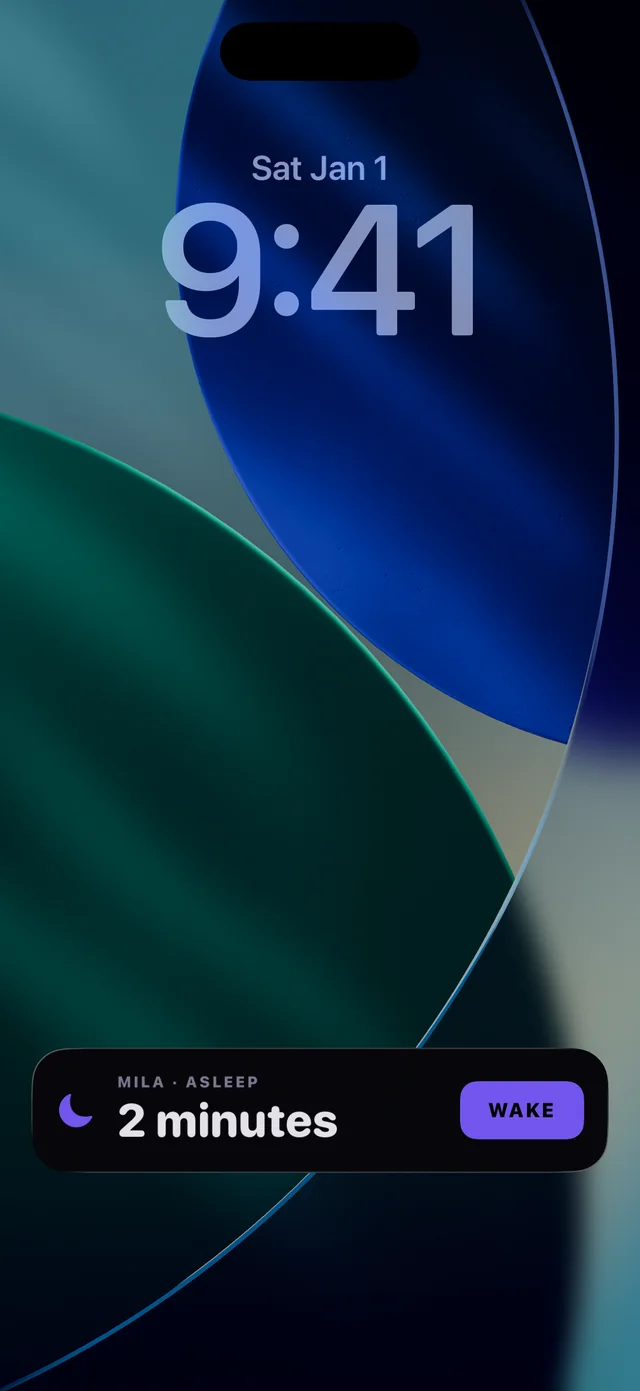
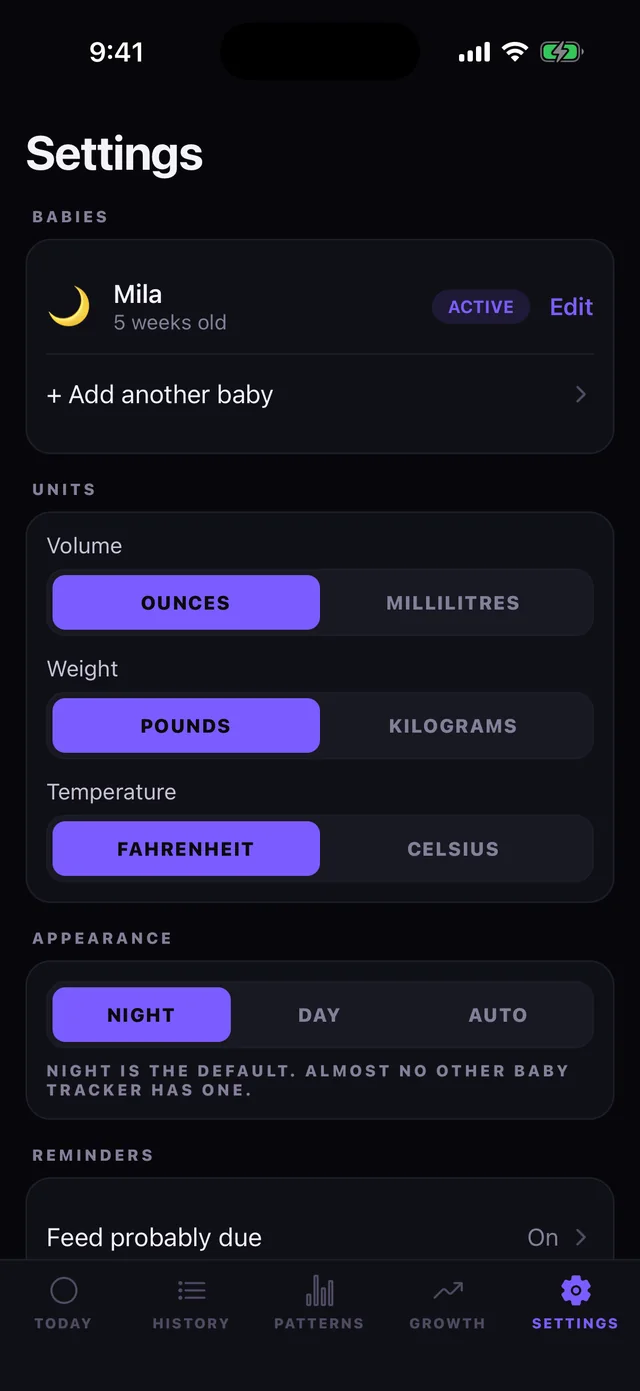
Every other baby tracker is pastel and built for daylight. Cubby is dark by default, because that is when you actually need it.
Every screen is built to be read in the dark and driven with the hand that is not holding a baby.
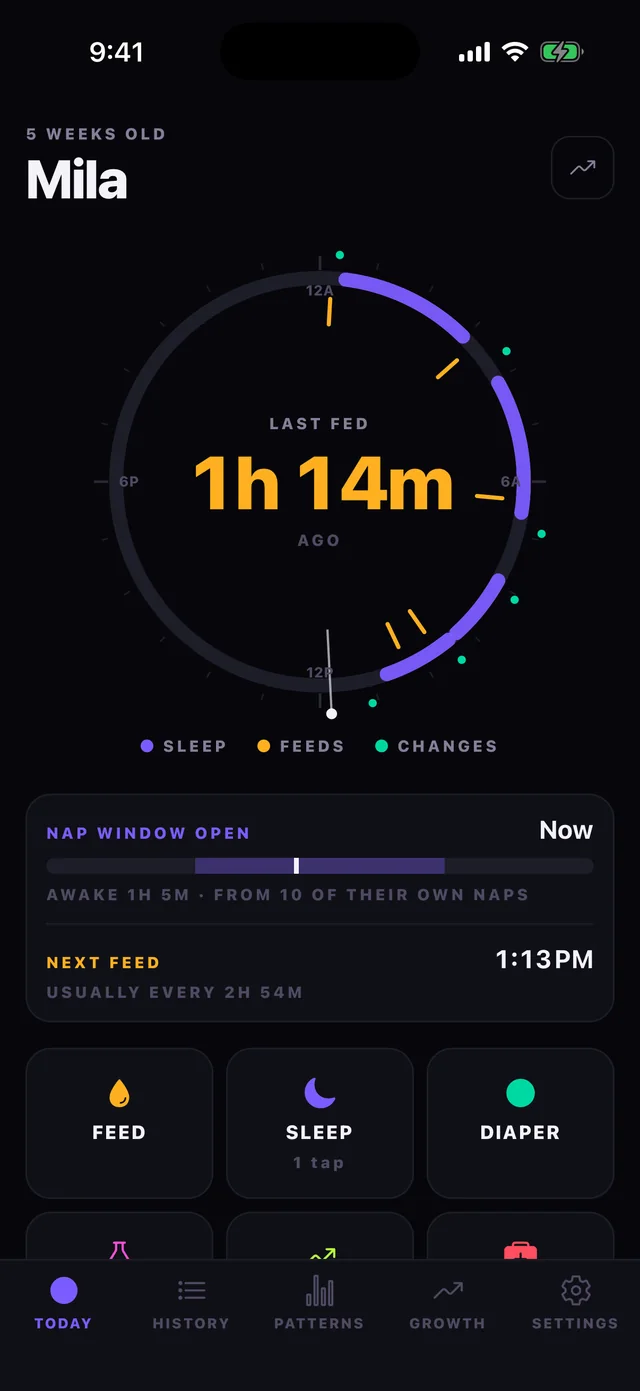
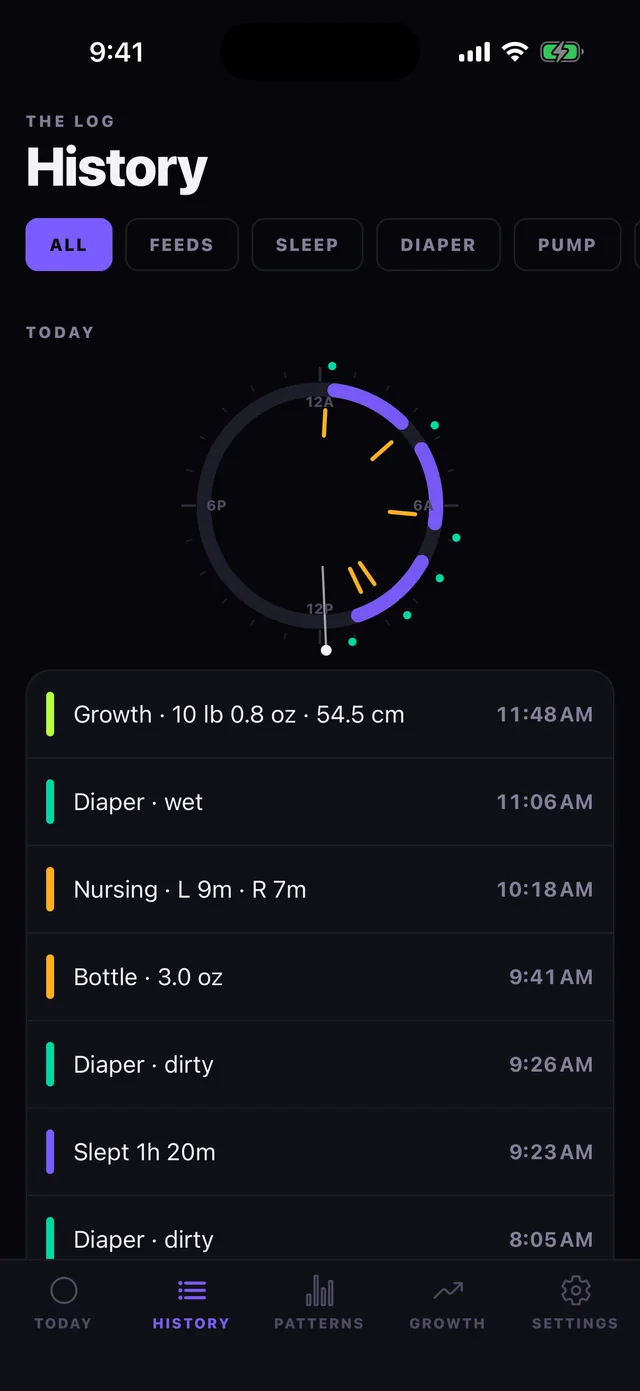
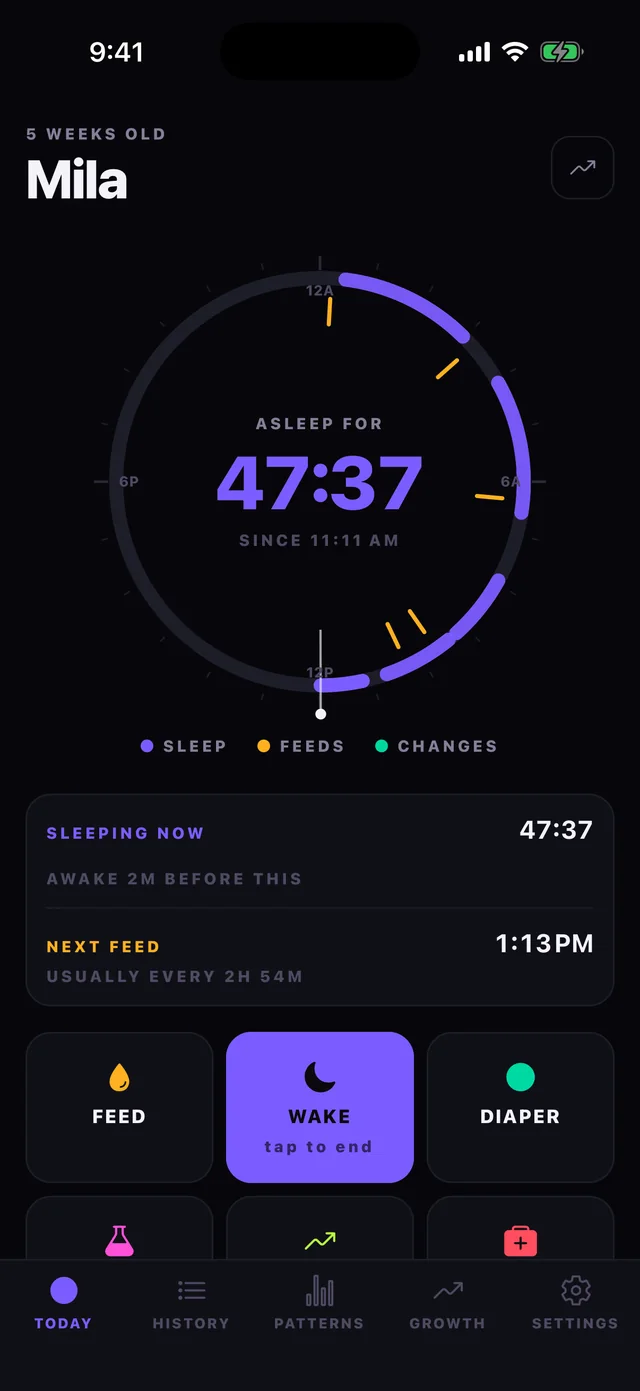
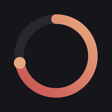
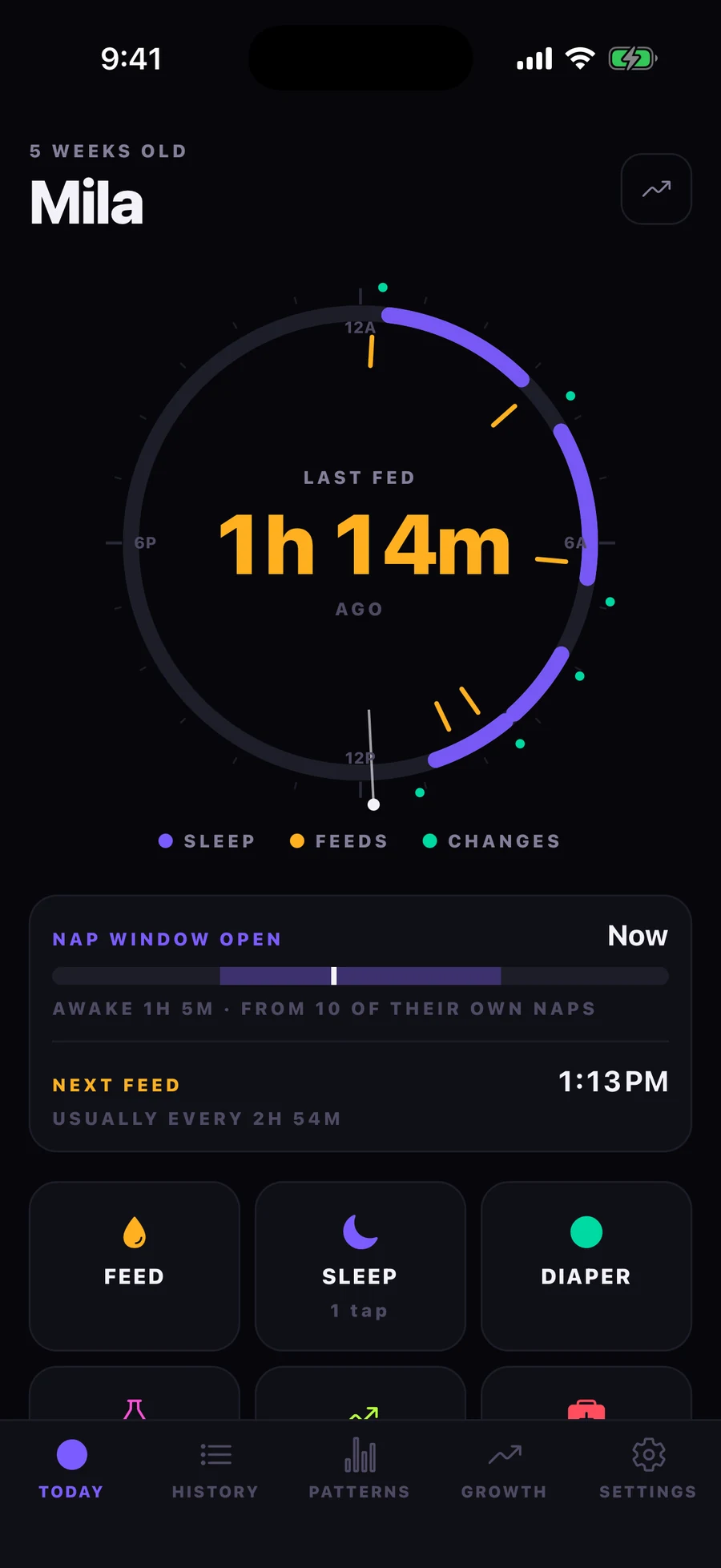
Cubby draws your baby's day as a 24-hour clock. Sleep shows as arcs, feeds as spokes, changes as pips around the rim. One look tells you what kind of night that was — something a list of rows has never managed.
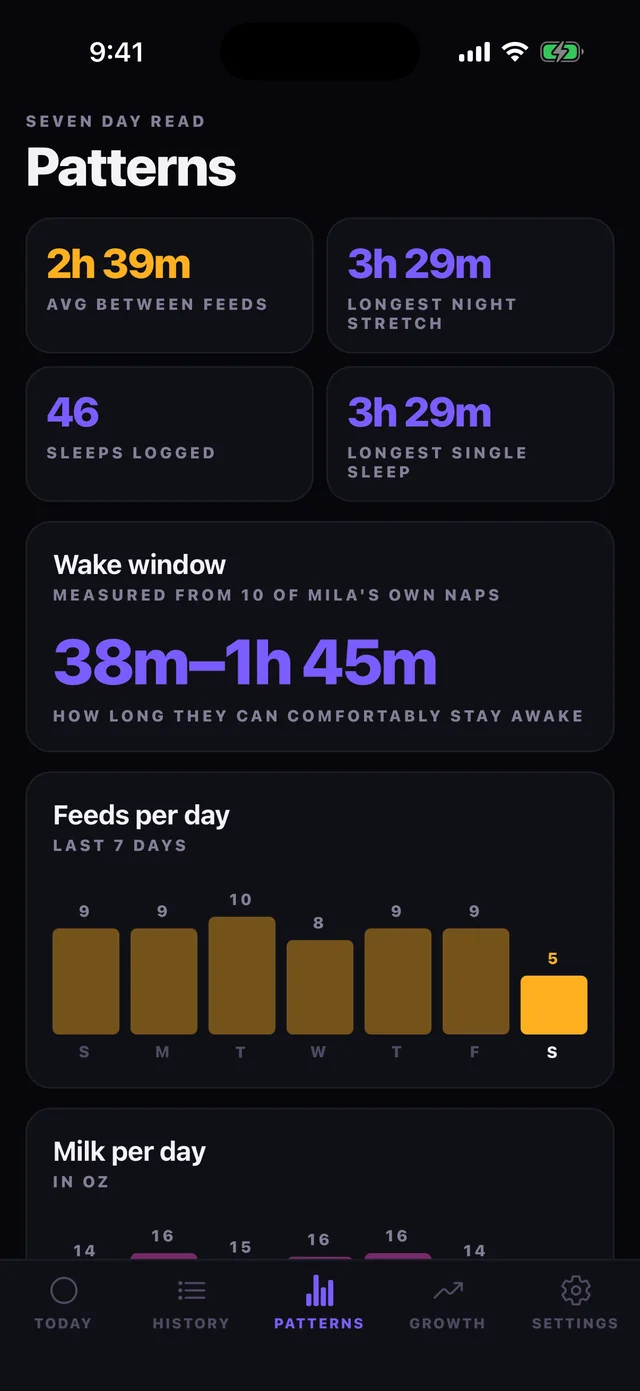
Cubby measures your baby's own wake windows and predicts the next nap, with an honest window rather than false precision.
Predicted from the median gap between recent feeds, not a generic table.
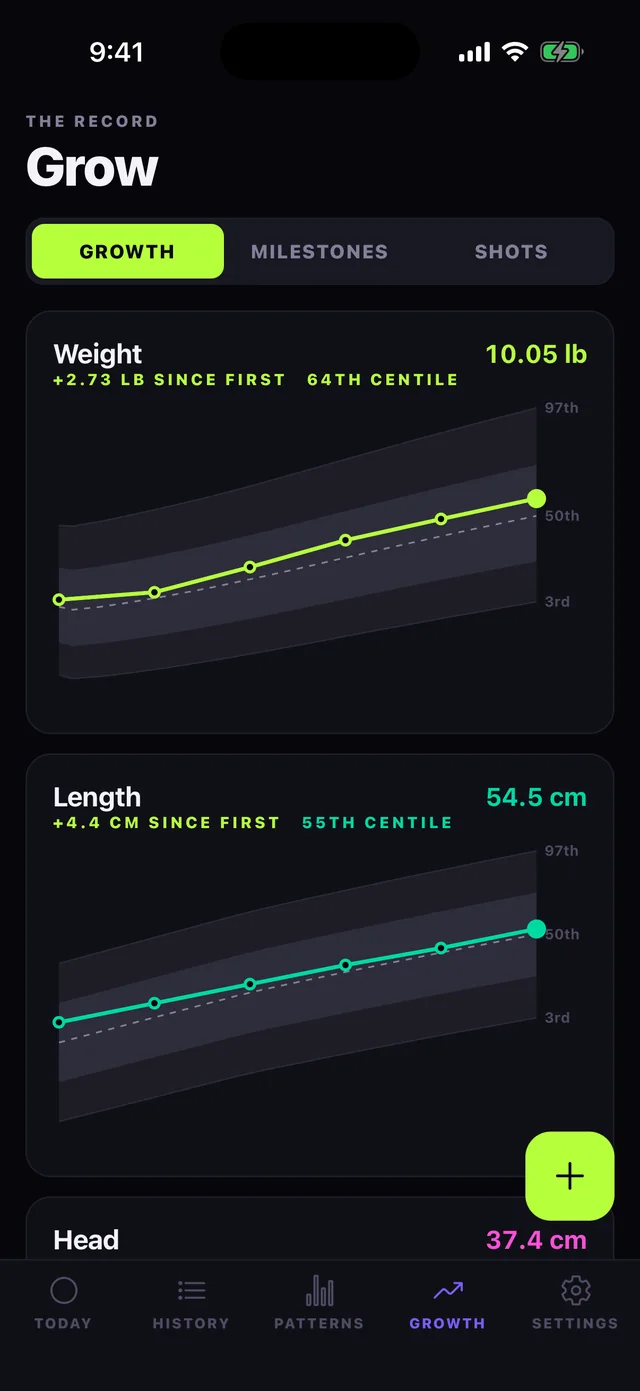
Weight, length and head plotted against the actual WHO Child Growth Standards, 3rd to 97th centile.
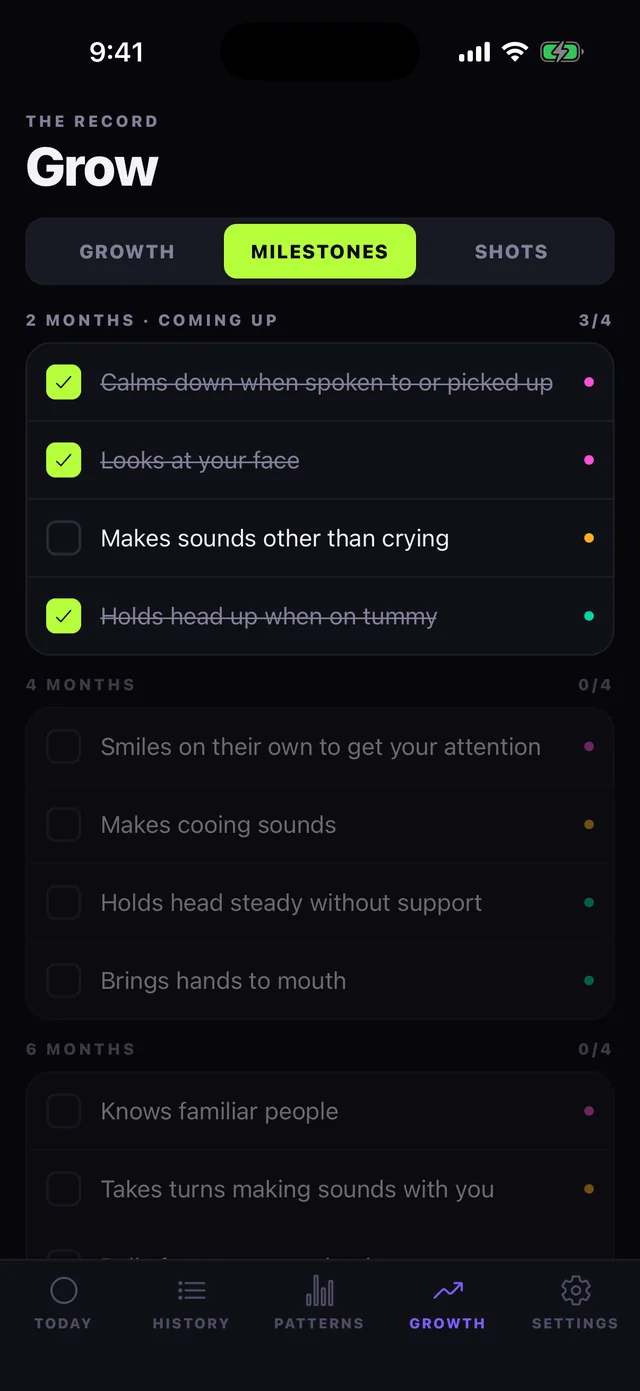
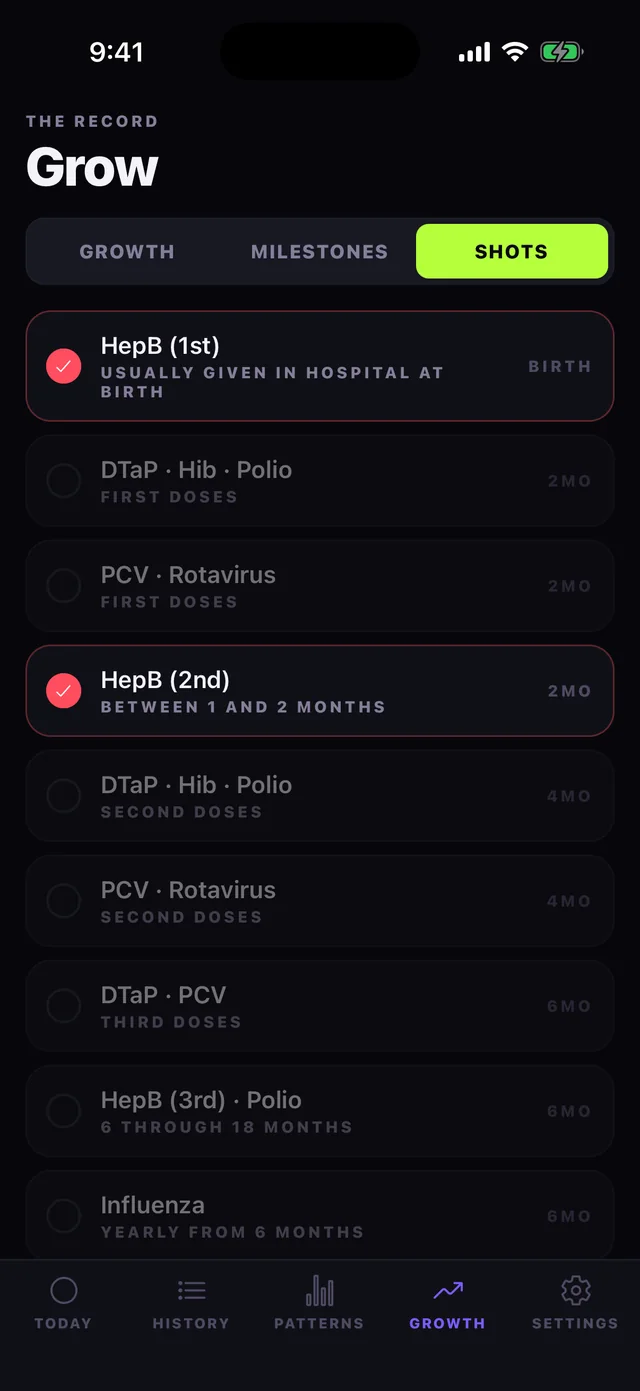
CDC milestone checklists by age and the routine immunisation schedule. Most trackers skip both.
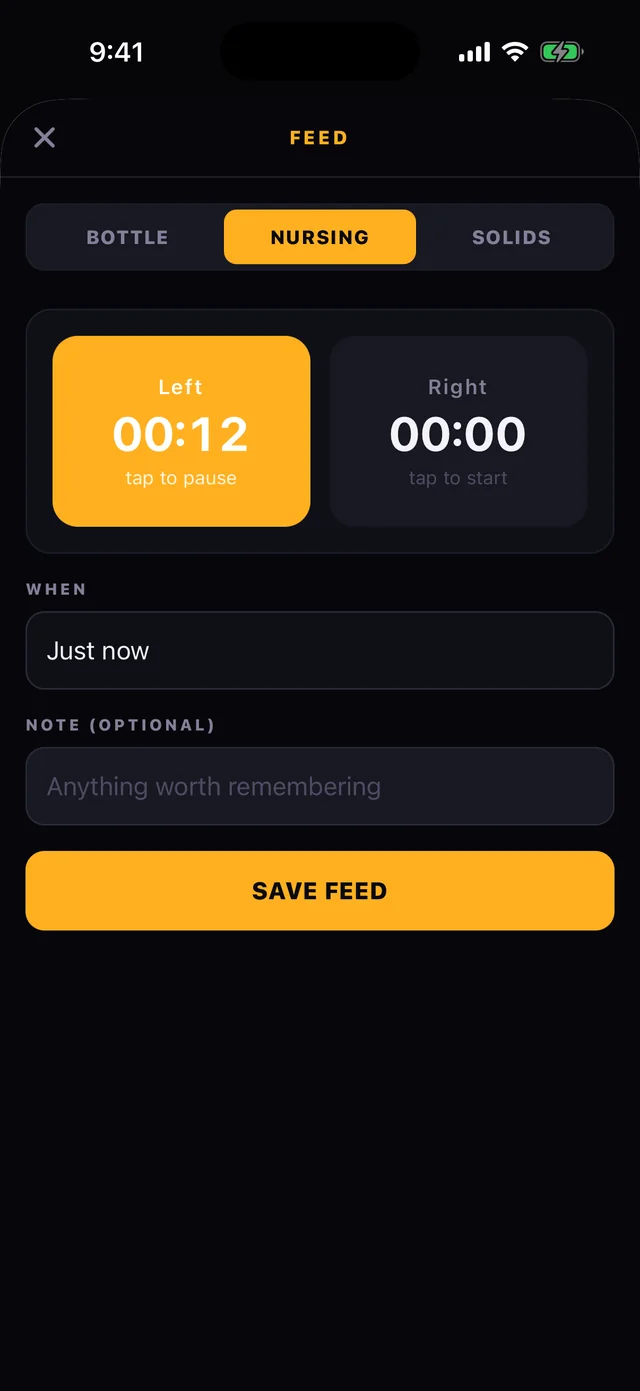
Bottles, nursing timers per side, solids, pumping, temperature and medicines. Twins each get their own log.
Optional nudges when a feed is likely due or the nap window opens. No push server involved.
| Cubby | Huckleberry | Baby Daybook | Glow Baby | Baby Connect | |
|---|---|---|---|---|---|
| Dark mode | Yes | No | No | No | No |
| Nap prediction | Yes | Yes | Yes | No | No |
| Growth centiles | Yes | No | No | Yes | Yes |
| Milestones | Yes | No | No | No | No |
| Immunisations | Yes | No | No | No | No |
| Export your data | Yes | No | No | No | Yes |
Comparison based on publicly published feature listings as of August 2026. Competitors change; check their listings for the current picture.
Cubby has no account and no sign-up. Every feed, nap and measurement is stored in a database on your iPhone and is never uploaded anywhere — there is no server of ours holding your baby's data, so there is nothing to sell and no advertising to sell it for. The only things Cubby sends are an anonymous crash report if it crashes and a count of how the unlock screen is used; the privacy policy spells both out.
Not medical advice. Cubby describes what you logged and estimates from your own data. Growth centiles come from the WHO Child Growth Standards and are context, not diagnosis. Always talk to your pediatrician about anything that worries you.
No company, no investors, no exit plan — just a retired dev, AI, and the growing conviction that this stuff should already cost almost nothing. I'm releasing a new app every week when the waves are bad and I'm not surfing.
Missing an app? Name it 👆here — That's genuinely how these get picked.
That is the part that matters. The rest of this page spells out the little that does leave, who receives it, and why.
Everything you log — feeds, sleep, diapers, pumping, growth measurements, temperatures, notes, your baby's name, date of birth and sex, milestone and immunisation ticks — is written to a database file inside Cubby's own storage on your iPhone.
Not your baby's log. Cubby has no user accounts, no sign-in, no cloud sync and no server of ours that receives your baby's information, so nothing you record about your child can reach us. What does leave the app is anonymous and technical, and the next three sections say exactly what it is. There is no advertising, no advertising identifier, and no tracker following you into other companies' apps or websites.
Cubby includes Firebase Crashlytics, which sends a technical report if the app crashes. Those reports contain the device model, the iOS and app version, the code path that failed, and a random identifier Firebase generates for your installation of the app — not your name, not your email, not your Apple ID, and it changes if you delete and reinstall Cubby. A crash report never contains your baby's name or any entry you logged. Crashlytics is provided by Google; their privacy policy is at firebase.google.com/support/privacy.
When Cubby shows its unlock screen, it counts a short list of events through Firebase Analytics, also from Google: that the screen was shown (and which of its two asks it was), that the free week offered there was taken, which layout was shown, and that an unlock completed. It also counts that the one-time offer sheet (the one that shows the other apps) was shown and what was tapped on it, and that the app asked whether you were enjoying it, with which of the two buttons you chose. These events carry no personal content — nothing about your baby, no name, no contact details — and Cubby never attaches your identity to them. They exist so we can tell whether the unlock screen works, and for nothing else.
Apple handles the transaction itself. Mark Utility Labs never sees or stores your card details, billing address, or Apple ID password.
Your unlock is kept on your device, in the iOS Keychain. If you unlock the whole collection of Mark Utility Labs apps at once, that record is also kept in your own iCloud, using Apple's CloudKit, so it follows your Apple Account to a new device. It is stored in your private iCloud database, not somewhere we can browse. Cubby does not ask you to sign in to anything, and nothing about your purchase is sent to Google.
Feed and nap reminders are optional and are scheduled locally by iOS on your own device. Nothing is sent through a push server, so no third party learns your baby's routine.
Export builds the file on your device and hands it to the iOS share sheet. Where it goes after that is entirely your choice; Cubby is not involved and keeps no copy.
Because the data sits in the app's storage, it is included in your normal iPhone backup to iCloud or a computer, which Apple encrypts. Deleting the app deletes the data.
Cubby is a tool for parents and caregivers, not for use by children. Information you record about your child is stored only on your device as described above.
Your baby's log is already entirely yours: we never receive a copy, so there is nothing for us to hand over, correct or erase. Export it whenever you like, and delete it by removing the entry, the baby, or the app. For the anonymous crash reports and the unlock-screen counts, email mark@vibecode.review and we will delete what is held.
If this policy ever changes, the updated date at the top changes with it, and any change that affects what leaves your device will be called out in the app's release notes.
Questions about privacy: mark@vibecode.review.
Email mark@vibecode.review and a real person answers. Usually within a day or two.
On the Today tab, tap Feed, Sleep or Diaper. Sleep is a single tap to start and a single tap to stop. Diapers save in two taps. Everything can be back-dated with the When field if you forgot in the moment.
It is your baby's last 24 hours drawn as a clock, with midnight at the top. Violet arcs are sleep, amber spokes are feeds, teal pips on the rim are changes. The History tab shows one for every past day.
It measures the gaps between your baby's own naps and takes the median of the recent ones. Until there are at least four to learn from it falls back to published age guidance, and the screen says which it is using. It is a window, not a promise.
The WHO Child Growth Standards, built from WHO's own published tables. Centiles are sex-specific, so you need to set your baby's sex in Settings before the bands appear. If you would rather not, the plain trend line still works.
Not yet — Cubby currently keeps everything on one iPhone with no account. Shared logging across two phones is the next big thing being built. In the meantime you can export the log and share it.
Settings → Export log. It produces a plain list of every entry that you can send to yourself, your partner or your pediatrician.
Settings → Add another baby. Each gets a separate log, and you switch between them by tapping the name on the Today screen.
Yes. Because there is no account and no server of ours, the log lives only on your device and is included in your normal encrypted iPhone backup. Export before deleting or switching phones.
Cubby is a pivot of an app that used to be ShiftMD, a call scheduler for physicians. The same App Store listing now carries Cubby, so ShiftMD updated itself into a baby tracker on your phone. None of the scheduling features remain, and no schedule data was carried over. If you relied on ShiftMD, sorry for the disruption — email mark@vibecode.review and I will help you get your old data out.
Please email mark@vibecode.review. Tell me your iPhone model and iOS version and I will take a look.
This is the important one. Cubby is a record-keeping tool. It describes what you logged and makes estimates from your own data. Nap and feed predictions are statistical guesses based on your baby's recent pattern. Growth centiles are drawn from the WHO Child Growth Standards and are context, not a diagnosis. Milestone lists and immunisation schedules are general reference information, not a care plan for your child.
Nothing in Cubby is a substitute for professional medical advice. Always consult your pediatrician or other qualified health provider about your child's health, feeding, sleep or development, and never delay seeking advice because of something this app displayed.
Cubby stores your log only on your device. We cannot recover it for you. Keep your iPhone backed up, and export anything you would be upset to lose.
Some features are unlocked by an in-app purchase. Any purchase is a one-time, non-consumable unlock — there is no subscription, nothing renews, and you are not charged again for what you have already unlocked. Purchases are processed by Apple through the App Store rather than by Mark Utility Labs, and refunds are handled by Apple under its standard App Store refund process at reportaproblem.apple.com.
Cubby is licensed, not sold, for personal non-commercial use on Apple devices you own or control, under Apple's standard End User Licence Agreement.
Cubby is provided "as is", without warranties of any kind. To the fullest extent permitted by law, Mark Utility Labs is not liable for any loss arising from use of the app, including lost data or decisions made in reliance on what it displayed.
These terms may be updated; the date above will change and continued use means acceptance.